
Minimise personal data in document workflows

Data minimisation is defined under GDPR Article 5(1)© as the principle that personal data must be adequate, relevant, and limited to what is necessary for the stated purpose. For professionals in healthcare, finance, and law, this principle is not abstract. Every contract, patient record, and financial statement that passes through an automated workflow carries identifiable information that, if mishandled, creates regulatory exposure. The goal is to minimise personal data in document workflows by scoping collection tightly, securing data during processing, and deleting it promptly when no longer needed. Applied correctly, these strategies reduce breach risk, simplify compliance audits, and make your workflows faster and leaner.
How to minimise personal data in document workflows
The first decision in any document workflow is what data to collect. Industry standards recommend against collecting entire document sets when a single form suffices, and advise against storing raw intermediates after validated outputs are generated. That guidance has a direct practical implication: if your workflow needs a client’s date of birth from a medical intake form, extract that field alone. Do not ingest the entire PDF and store it indefinitely.
Document data falls into three distinct categories that require separate handling. Raw documents contain the original PII in full. OCR text is a derived representation, often just as sensitive. Metadata, including author names, revision histories, and geolocation tags embedded in file properties, is frequently overlooked and equally regulated. Treating all three as separate data types, each with its own access controls and retention rules, is the foundation of a sound data minimisation strategy.

The table below contrasts a broad collection approach with a minimised one across four common workflow dimensions.
| Dimension | Broad collection | Minimised collection |
|---|---|---|
| Data scope | Full document ingested and stored | Only required fields extracted |
| Intermediary storage | Raw files retained post-processing | Raw files deleted after validated output |
| Metadata handling | File metadata preserved by default | Metadata stripped before storage |
| Optional attachments | All attachments captured | Irrelevant pages and attachments excluded |
Pro Tip: Before building any new document workflow, map every data field you plan to capture against a specific business or legal justification. If you cannot name one, remove the field.
How should you pseudonymise and redact data during processing?
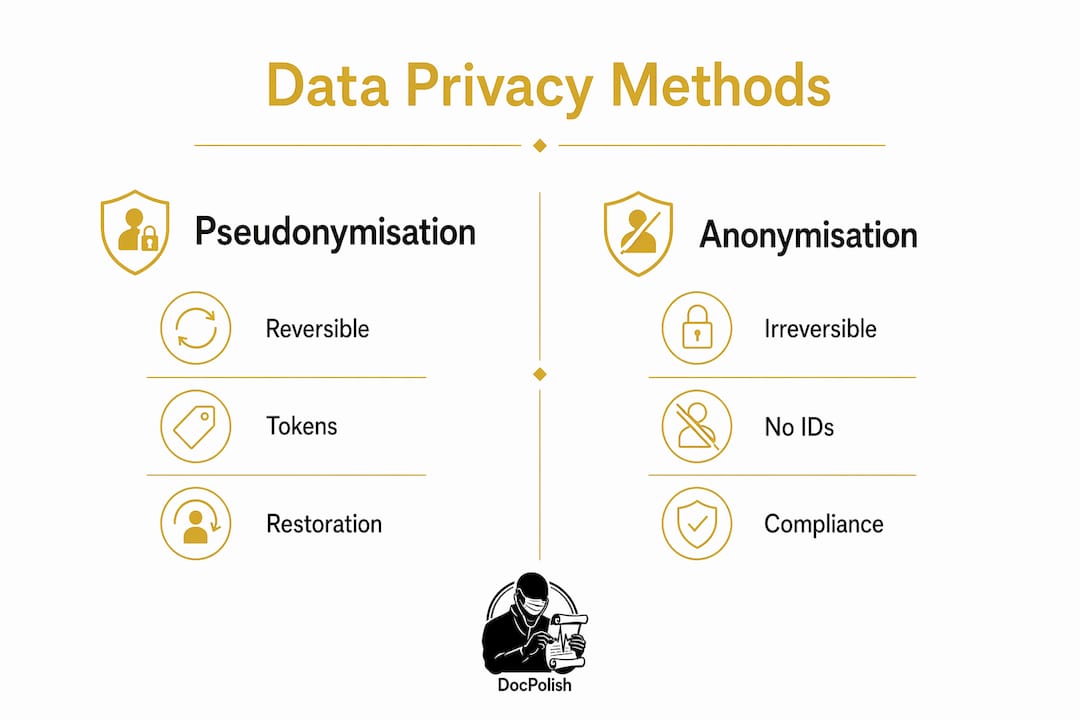
Pseudonymisation and anonymisation are not the same technique, and confusing them creates compliance gaps. Pseudonymisation replaces identifying values with reversible tokens, allowing the original data to be restored when needed. Anonymisation removes identifiers permanently. Professional redaction workflows use reversible masking for AI processing and irreversible anonymisation for third parties, often mixing both methods in a single pipeline.
Redaction failures most commonly occur in hidden document metadata. PDF Info fields, XMP properties, tracked changes, comments, and author information all persist after visible text is blacked out. A document that looks clean on screen can still carry a full revision history in its file properties. Stripping these layers explicitly, not just visually, is a non-negotiable step in any secure document process.
Client-side or local pre-processing pseudonymises data before it reaches AI models, reducing compliance scope and cross-border transfer risks. This architecture keeps raw PII within a controlled environment and sends only tokenised content to external services. For regulated sectors, this approach is the most defensible position under GDPR and HIPAA.
A secure document handling checklist covers the following steps in order.
- Strip all file metadata before any external transfer.
- Apply reversible pseudonymisation to PII fields before AI processing.
- Remove tracked changes, comments, and embedded author data.
- Encrypt data in transit and at rest using current standards.
- Restrict access to raw documents to named individuals with a documented justification.
- Delete raw intermediaries immediately after the validated output is confirmed.
- Log all access events in a tamper-evident audit trail.
Pro Tip: Run a metadata audit on a sample of your existing document templates. Most organisations find author names and internal server paths embedded in files they have been sharing externally for years.
What workflow architecture best supports data privacy?
Privacy is a workflow architecture problem, not a settings toggle. Securing every handoff point between tools and services prevents the invisible erosion of privacy that occurs when data passes through multiple integrations, each with its own logging and caching behaviour. The practical solution is to separate the sensitive intake stage from the sanitised processing stage, with a data cleansing step in between.
Human-in-the-loop decision points are mandatory for regulated outcomes. Automated AI workflows require a human reviewer at any point where a decision carries legal or clinical consequences. In a legal contract review, for example, the AI can flag clauses and extract structured data, but a qualified professional must confirm any action that affects a client’s rights. This is not just good practice. It is a compliance requirement under several sector-specific frameworks.
Workflow engines present a specific risk that architects frequently miss. Execution logs, retries, and error details often contain raw text or PII long after a task completes. If your retention policy covers the output database but not the log store, you have a gap. JSON-structured outputs, where only validated extracted fields are written to storage rather than raw document text, are the preferred pattern for minimising this exposure.
The table below summarises the trade-offs between two common architectural approaches.
| Pattern | Advantage | Limitation |
|---|---|---|
| Unified pipeline (single system) | Simpler to build and maintain | Single breach point exposes all data |
| Segmented pipeline (intake plus sanitised processing) | Confines raw PII to intake stage only | Requires more integration work upfront |
A Data Protection Impact Assessment is mandatory under GDPR Article 35 for any AI workflow that processes personal data at scale. The DPIA must document data flows, identify risks, and record mitigations such as reversible redaction and hash-chained audit trails. Completing this before deployment, not after, is what separates compliant teams from those who retrofit privacy controls under regulatory pressure.
Pro Tip: Avoid training foundation AI models directly on personal data. Retrieval-augmented generation architectures, which query external data stores at inference time, are far easier to make GDPR-compliant because they do not embed personal data in model weights.
Best practices for data retention, deletion, and compliance verification
Retention limits are the most commonly neglected element of data minimisation. Raw documents should be deleted as soon as a validated output exists. Extracted structured data, such as a JSON record of specific fields, carries a longer but still defined retention period tied to the business purpose. Keeping raw files “just in case” is not a legal basis under GDPR and creates unnecessary liability.
Automated deletion workflows remove the human error from this process. Scheduled purge jobs, triggered by document age or workflow completion status, are more reliable than manual review cycles. California’s data broker regulations now require deletion requests processed through DROP within 45 days, a model that illustrates how automated deletion is becoming a regulatory baseline, not a best practice.
Compliance verification requires more than a one-time audit. The following pitfalls appear repeatedly in regulated environments, along with the remedial action for each.
- Retention without purpose: Raw files stored beyond their processing window. Remedial action: implement automated deletion tied to workflow completion.
- Log data overlooked: Execution logs retaining PII after task completion. Remedial action: apply the same retention policy to logs as to primary data stores.
- Incomplete redaction: Metadata and tracked changes surviving visible redaction. Remedial action: use tools that explicitly target file properties, not just visible content.
- No DPIA on record: AI workflows deployed without a documented impact assessment. Remedial action: complete a DPIA before go-live and review it annually.
- Access not restricted: Raw documents accessible to all workflow participants. Remedial action: apply role-based access controls and audit access logs quarterly.
For law firms handling sensitive personal data in automated review processes, these controls are not optional. Regulatory bodies in the UK and EU have issued enforcement notices specifically targeting inadequate retention and access controls in legal document systems.
Key takeaways
Effective data minimisation in document workflows requires scoped collection, client-side pseudonymisation, segmented architecture, and automated deletion working together as a system.
| Point | Details |
|---|---|
| Scope collection tightly | Extract only the fields required for the business purpose; delete raw files after validated output is confirmed. |
| Strip metadata explicitly | PDF properties, tracked changes, and author data survive visible redaction and must be removed separately. |
| Segment your pipeline | Separate the sensitive intake stage from sanitised processing to confine raw PII exposure. |
| Automate deletion | Scheduled purge jobs are more reliable than manual review and align with emerging regulatory baselines. |
| Complete a DPIA first | GDPR Article 35 mandates a Data Protection Impact Assessment before deploying any AI workflow on personal data. |
The metadata problem nobody talks about enough
I have reviewed document workflows across healthcare, finance, and legal teams for a long time, and the same blind spot appears in almost every organisation. Teams invest heavily in visible redaction, access controls, and encryption. Then they share a Word document externally and the recipient opens the revision history to find three years of internal edits, staff names, and tracked comments. The visible surface was clean. The file was not.
The metadata problem is not a technology failure. It is a process failure. Organisations treat redaction as a single action applied to visible content, when it is actually a multi-layer operation that must target file properties, embedded objects, and revision histories independently. Most document editing tools do not strip these layers by default. You have to configure them explicitly, or use a processing step that does it for you.
My stronger view is that data minimisation should be designed into a workflow before the first line of configuration is written. Retrofitting privacy controls onto an existing pipeline is expensive, incomplete, and often leaves gaps that only surface during an audit. The teams that get this right start with a data flow diagram, identify every point where PII is created or copied, and eliminate unnecessary copies before they build anything else. That discipline, applied consistently, is what separates organisations that pass audits from those that scramble to explain their data maps under pressure.
Staff training matters as much as architecture. A well-designed pipeline fails the moment a team member exports a raw document to a personal drive or emails an unredacted file to a third party. Continuous training, not annual compliance tick-boxes, is what keeps the human layer of your workflow as secure as the technical one. For practical guidance on reducing breach risk in document handling, the controls that matter most are the ones your team actually follows every day.
How Docpolish supports privacy-first document processing
Regulated industries need a document processing approach that treats privacy as the starting point, not an afterthought.
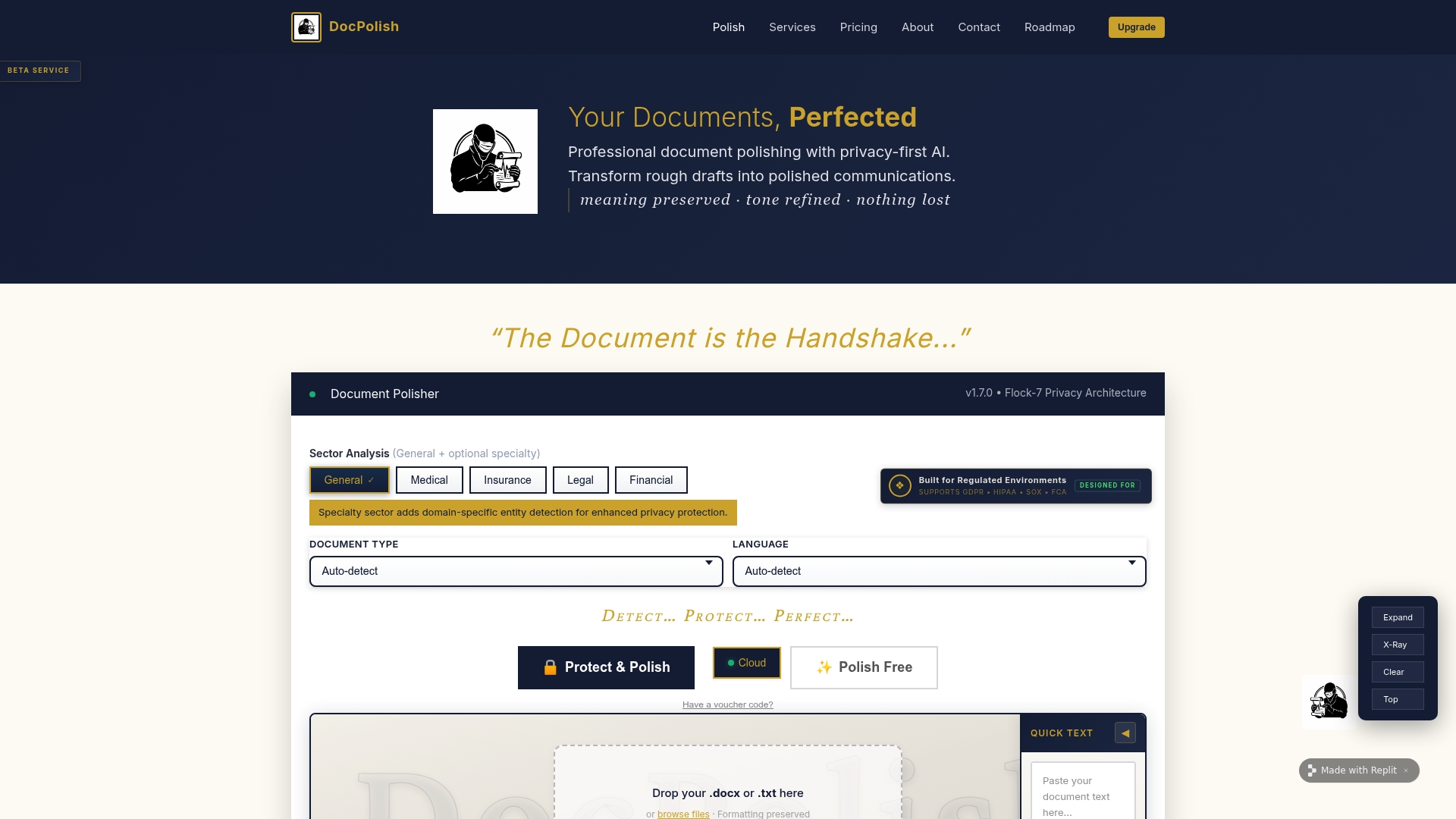
Docpolish is built specifically for this requirement. Its client-side detection and anonymisation of personally identifiable information means sensitive data never leaves your browser before processing. The workflow pseudonymises PII locally, sends the sanitised document to an AI engine for professional polishing, and then restores the original identifiers in the final output. Every processed document receives a trust identifier, creating an audit trail that supports GDPR and HIPAA compliance. For teams in healthcare, legal, and finance looking to process documents securely, Docpolish removes the trade-off between quality and confidentiality.
FAQ
What does data minimisation mean under GDPR?
Data minimisation under GDPR Article 5(1)© means collecting only personal data that is adequate, relevant, and limited to what is necessary for the specified purpose. Any data collected beyond that threshold is a compliance risk.
How does pseudonymisation differ from anonymisation?
Pseudonymisation replaces identifiers with reversible tokens, allowing the original data to be restored. Anonymisation removes identifiers permanently. GDPR treats pseudonymised data as still personal; anonymised data falls outside its scope.
What is a DPIA and when is it required?
A Data Protection Impact Assessment is a documented analysis of privacy risks in a processing activity. GDPR Article 35 makes it mandatory for any AI or automated workflow that processes personal data at scale before deployment.
Why is metadata a redaction risk?
PDF Info fields, XMP properties, tracked changes, and author data persist in a file after visible content is blacked out. Effective redaction must explicitly target these hidden layers, not just the text visible on screen.
How should document retention be managed in automated workflows?
Raw documents should be deleted as soon as a validated output is confirmed. Execution logs must follow the same retention policy as primary data stores, since they frequently contain PII that persists long after a task completes.